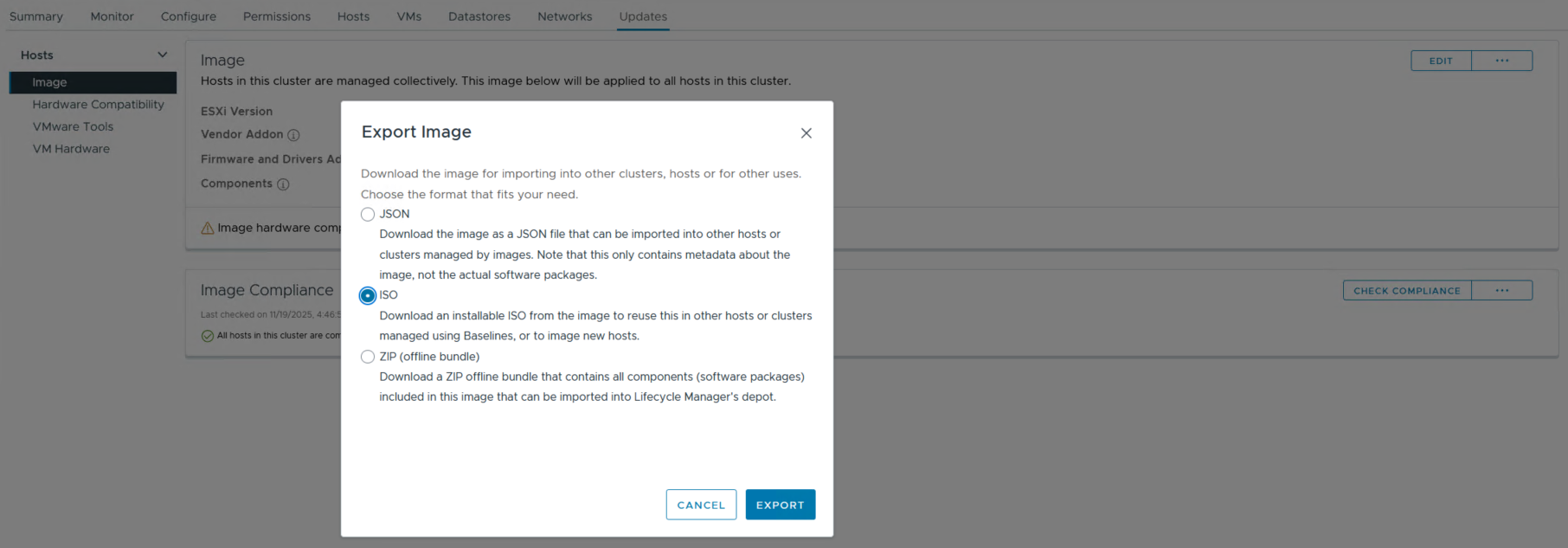
exporting a custom image from vCenter is fairly simple, and you have the option to export as ISO, ZIP og JSON.
you can perform this operation on any existing cluster that is set up for image patching, or you could create a dummy cluster in vCenter to create your image. in my case I already had a cluster with the ESXi version and vendor addon version I needed.
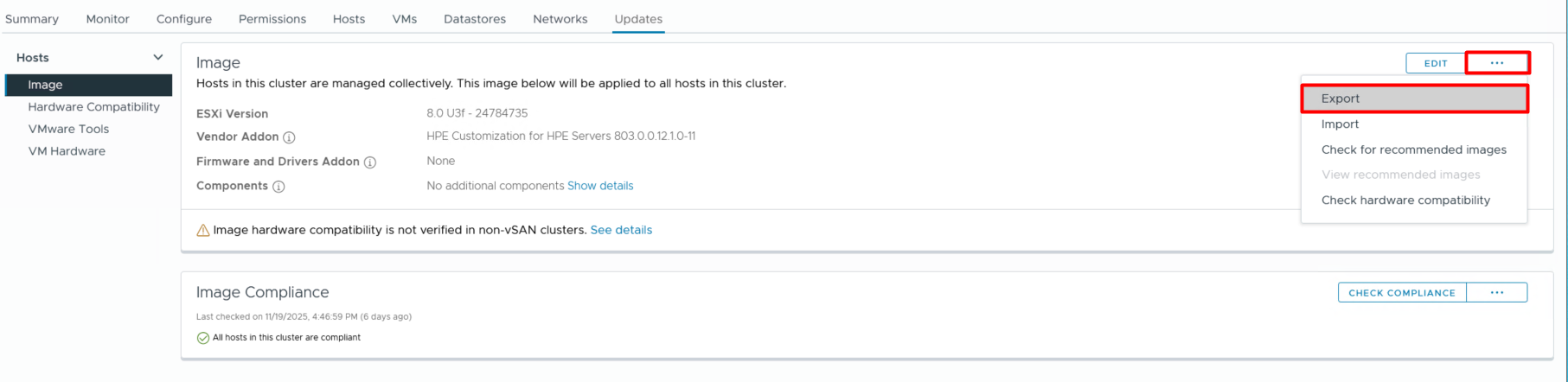
- on your cluster, navigate to «Updates»
- select the three dots to the right
- select «Export» and choose the format you need
- last step is to hit «Export» to download the file to your local computer
 vram.blog