if you ever need to create a memory dump of a virtual machine running on an ESXi host, vmss2core is an easy-to-use tool that can convert snapshot files to a core dump file.
in my environment i have used VMware Workstation Pro, as the vmss2core tool is included in the bundle.
step 1.
suspend you virtual machine from either vCenter or Cloud Director. in my case the vm was deployed in Cloud Director.
step 2.
in vCenter, navigate to the datastore where the virtual machine files are located. the files you are looking for have .vmss and .vmem file extension. download/copy these files to a server or PC with VMware Workstation Pro installed.
step 3.
locate the vmss2core tool. in my case the tool was installed here:
C:\Program Files (x86)\VMware\VMware Workstation
you can either run cmd or powershell as administrator to run the command from this directory, or you can copy vmss2core to the same directory as the .vmss and .vmem files.
step 4.
run the following command:
vmss2core.exe -M virtual_machine_name.vmss virtual_machine_name.vmemi chose to add the -M flag to create a core file with physical memory view, but there are other options you could use.
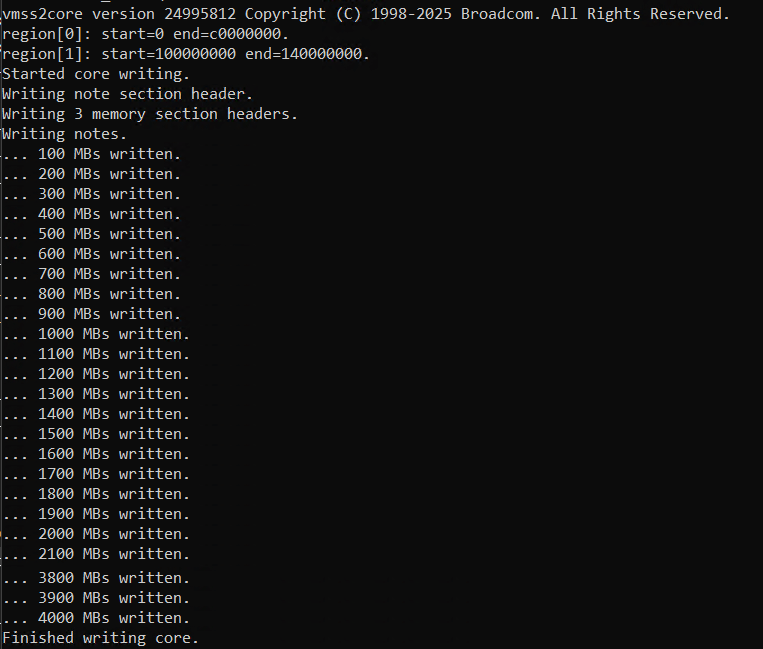
you can run this command to check if the core dump file has been created:
dir vmss.core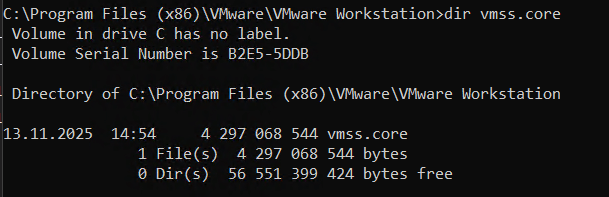
 vram.blog